Branded vs. Non-Branded Keywords: The Difference and Impact on SEO

Non-branded keywords help you attract new customers, while branded keywords help you capture existing demand and engage your current audience.
Want to learn how to use branded and non-branded keywords to gain better organic search marketing results? Read on to discover how each type of keyword impacts your strategy and how to use them effectively.
Branded and Non-Branded Keywords: Overview and Examples
Let’s start with a quick definition of branded and unbranded keywords with examples.
What are Branded Keywords?
Branded keywords are search terms that include a specific brand name or variations directly associated with your business or product. This includes your company name, trademarked product names, or common misspellings.
For example, some of Adobe.com’s branded keywords are:
- Adobe
- Adobe Photoshop
- Creative Cloud
- Adobe Creative Cloud log-in
- What is Premier Pro?
What are Non-Branded keywords?
Non-branded keywords are search terms that do not include specific brand names or references. They focus on generic topics related to the services or products offered. For Adobe, examples of non-branded keywords are:
- How to edit photos
- Best photo editing tools
- How to create a reverse video
- Converting video to GIFs
Additionally, some terms that may include a brand name but are not unique to that brand can appear as non-branded. For example, “keyword” is a non-branded keyword for Keyword.com.
What Are the Differences Between Branded and Non-Branded Keywords?
The biggest difference between branded and unbranded keywords is that branded keywords specifically reference a brand name, while unbranded keywords are generic and unaffiliated to any particular brand.
While you can spot a specific brand connection with the query “best Samsung phones with high-end cameras,” there’s none with “best Android phones with high-end cameras,” even though the user is searching in the same product category – Android phones.
This difference impacts each keyword’s search intent, traffic, and conversion potential.
1. Search Intent
-
Branded Keywords: Users searching for these keywords usually have transactional intent — looking to buy a specific product (e.g., price of Microsoft 365) — or navigational intent — wanting to visit or learn more about a particular brand (e.g., Microsoft 365 support).
-
Non-Branded Keywords: Users searching for these keywords generally have informational intent, that is, researching their problems (e.g., what are the best books to read during pregnancy). Or commercial intent, that is, exploring solutions without a specific brand in mind (e.g., where to buy ‘Expecting Better’).
2. Traffic Impact
-
**Branded Keywords:**Typically generate lower traffic because they attract users who are often at the decision stage of their buying journey. For instance, fewer people might search for “Tesla Model S” compared to broader terms like “electric cars.”Note: Well-known brands can see significant traffic for navigational intent branded keyword searches.
-
Non-Branded Keywords: Generate higher traffic volumes because they target a broader, less brand-specific audience. This makes them more effective for creating visibility and capturing interest from users at the top and middle of the funnel than branded keywords.
3. Conversion Impact
-
Branded Keywords: Often lead to higher conversion rates because users are already familiar with the brand and closer to making a purchase. For example, a search for “Sony headphones” suggests that the user is likely ready to buy but needs little nudging.
-
Non-Branded Keywords: These typically result in lower conversion rates as users are still in the research or discovery phase. For example, a search for “best wireless headphones” indicates that users are exploring multiple options and may need more information, comparisons, or persuasion before deciding.
4. Branding Implication
-
Branded Keywords: Searches for generic keywords + your brand name, e.g., “adjust camera settings Adobe,” show strong brand affinity and trust. This brand affinity can manifest on the SERPs in two main ways.For instance, when search queries indicate interest in your solution, it suggests you’re running an effective awareness and demand generation campaign. Similarly, queries on how to use your product better provide opportunities to retain customers.
-
Non-Branded Keywords: Ranking well for various topic-based search terms reflects a high industry Share of Voice. This suggests that you’re gaining authority and visibility, making it more likely that potential customers will consider your brand when making a buying decision.
Why Optimize for Branded and Non-Branded Keywords?
A strong SEO strategy covers both branded and non-branded keywords because each plays a unique role in driving traffic and conversions.
- Non-branded keywords help you reach new audiences who may not know about your business. These searches are often highly competitive, making SEO crucial for ranking and attracting potential customers.
- Branded keywords seem like a sure win since they directly reference your business. But without proper optimization, competitors, resellers, or third-party sites could outrank you, stealing clicks and potential customers.
For instance, Starbucks doesn’t appear in the SERPs for the keyword “What is the healthiest drink at Starbucks to order.”
As a matter of fact, they don’t even appear in the featured snippets.
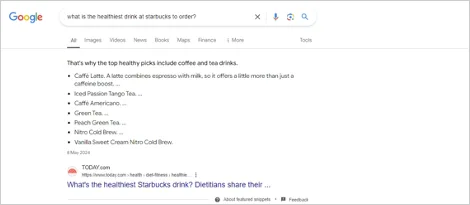
This likely is because Starbucks doesn’t have a page optimized for this keyword, leading them to miss out on potential conversions. Also, competitors or third-party websites ranking in their place could spread biased information, harming their reputation.
Failing to optimize for both means missed opportunities — whether it’s attracting new customers or ensuring people searching for your brand actually land on your site. A well-rounded SEO strategy protects your brand visibility while expanding your reach.
When to Prioritize Branded Keywords Over Non-Branded Keywords (and Vice Versa)
The goals and objectives of your SEO campaign should determine which keyword type to prioritize.
Prioritize branded keywords when you want to:
- Answer common questions about your products or services to retain existing customers.
- Address queries related to your offerings to convert high-buying intent leads.
On the other hand, prioritize non-branded keywords when you aim to:
- Capture an audience that hasn’t realized they have a problem or are trying to understand their issues.
- Reach people actively seeking solutions to their problems and considering options.
- Enter new markets or target new audience segments with your product.
How to Use Branded Keywords in Your SEO Strategy
Here’s how to use branded keywords in your SEO strategy.
1. Find Your Branded Keywords
Start by performing keyword research to identify relevant low-ranking branded keywords using tools like Ahrefs’ Keyword Explorer and Semrush’s Organic Research tool. For this article, we’ll use Semrush.
In Semrush’s Organic Research tool, type in your domain.
Source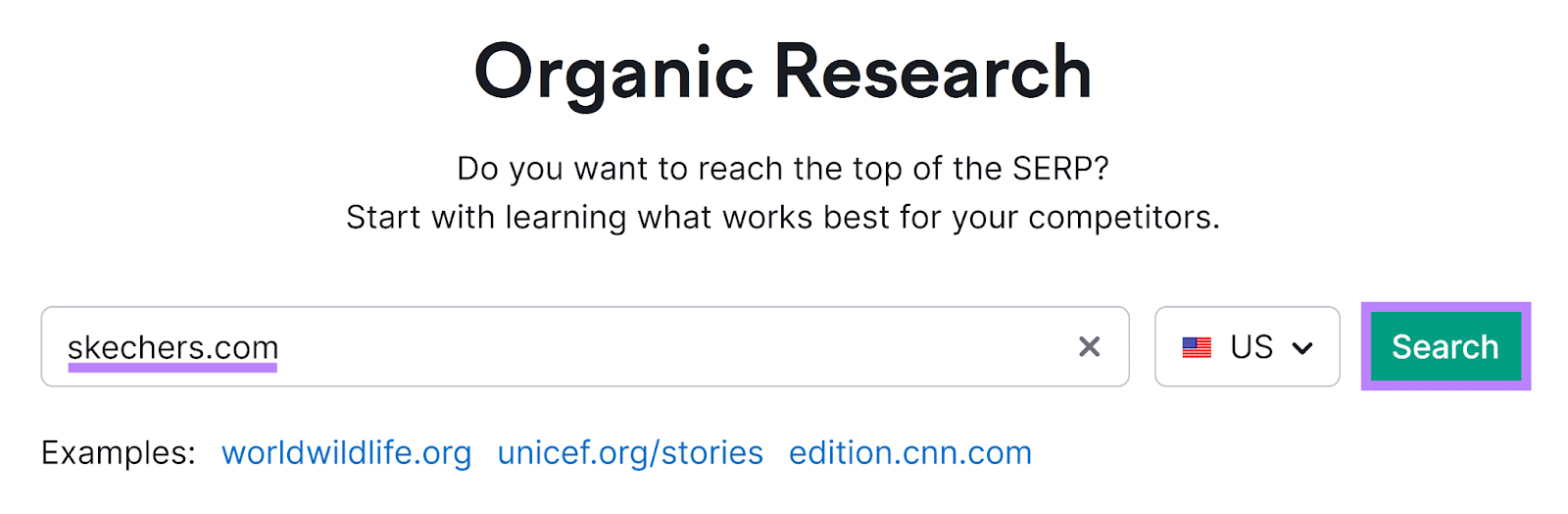
In the advanced tab, apply the branded filter.
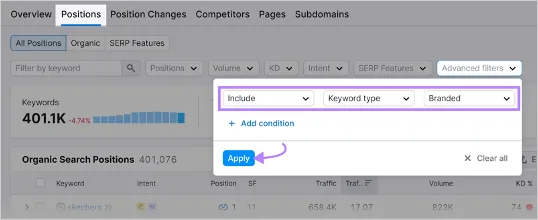
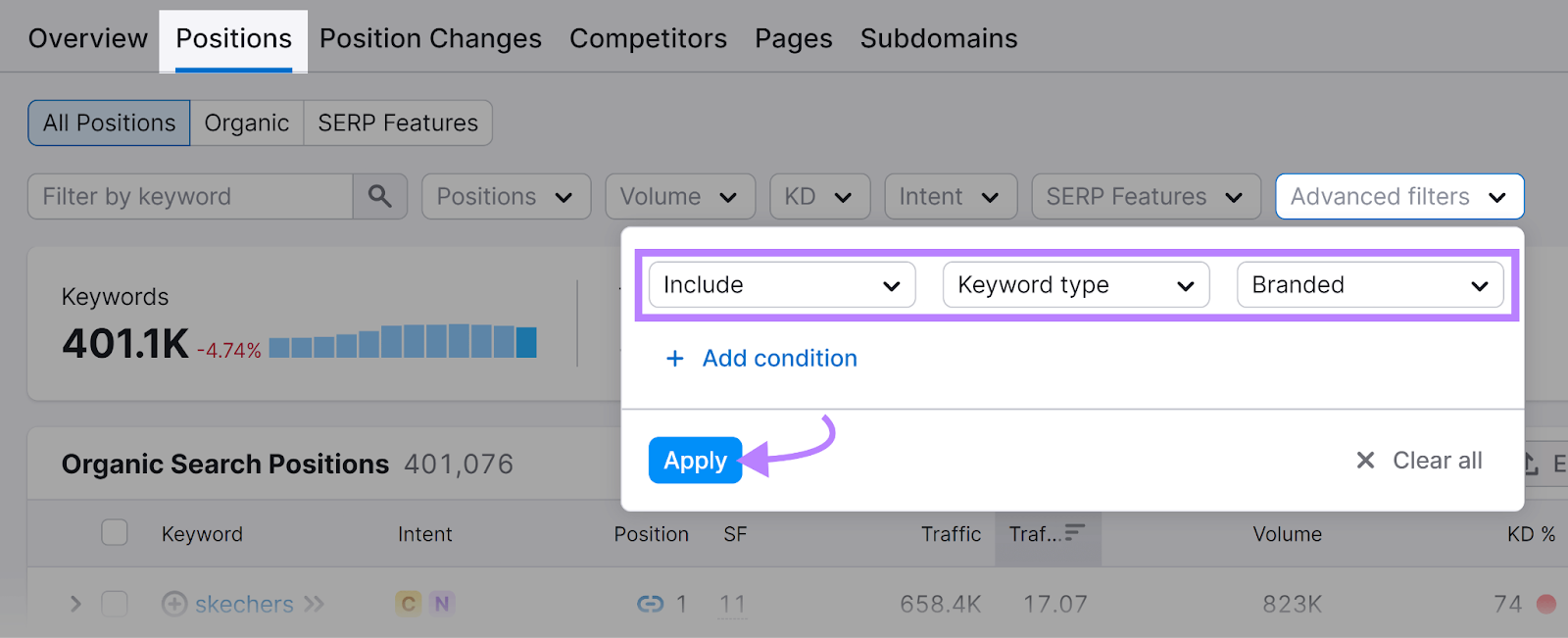
This will show all the branded terms you already rank for.
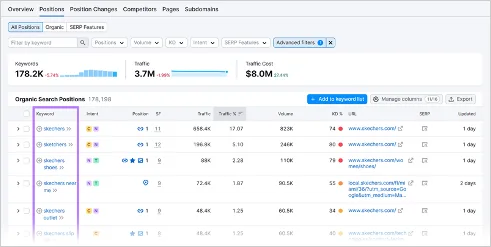
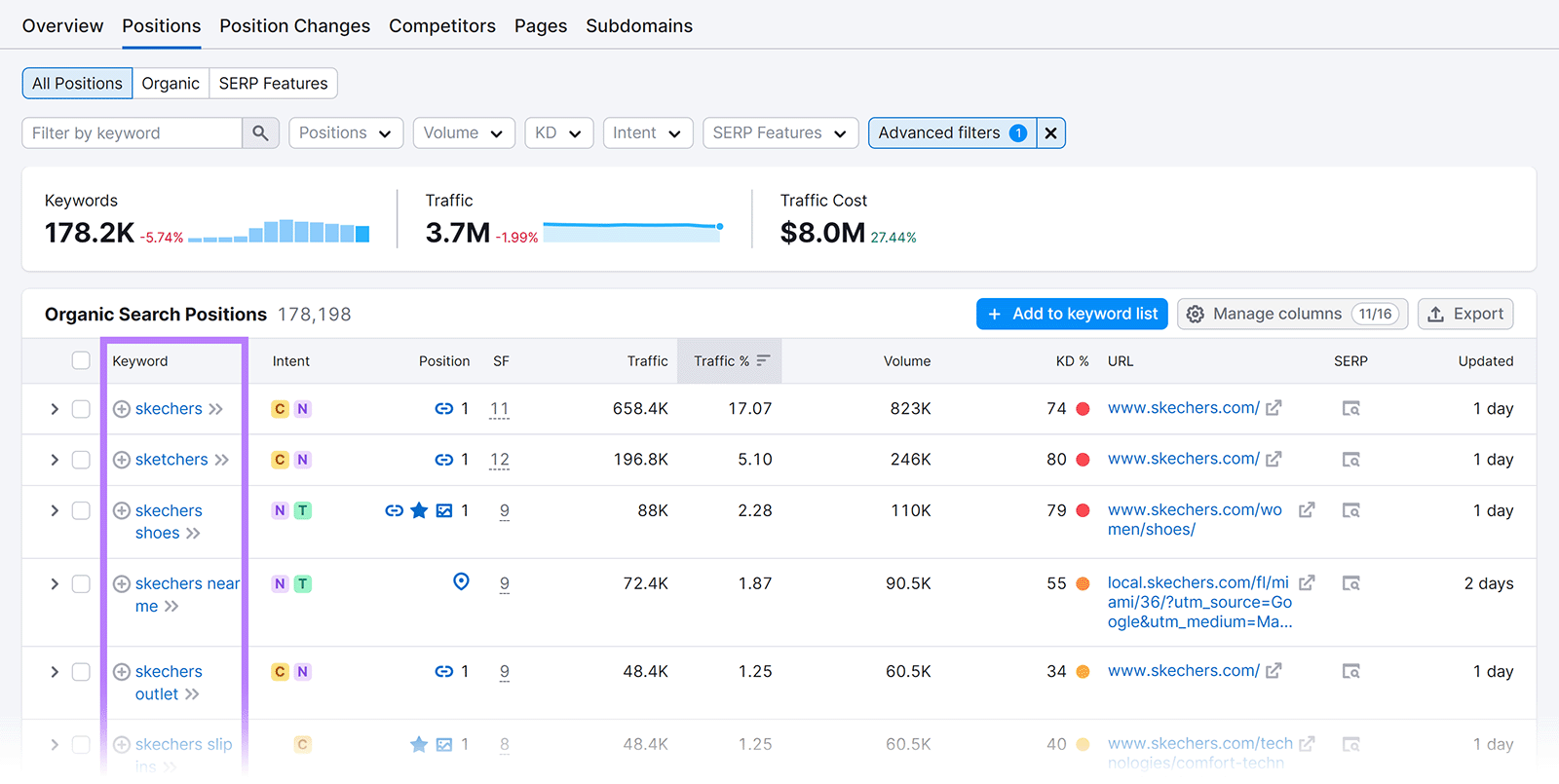
Now, use the position filter to highlight keywords where your rankings are lower.
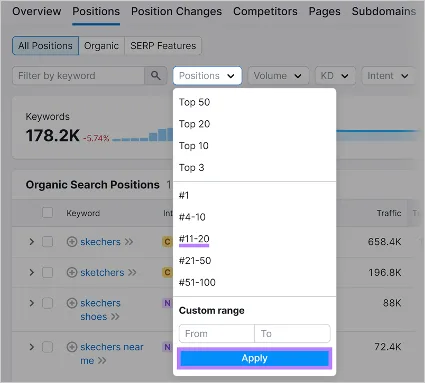
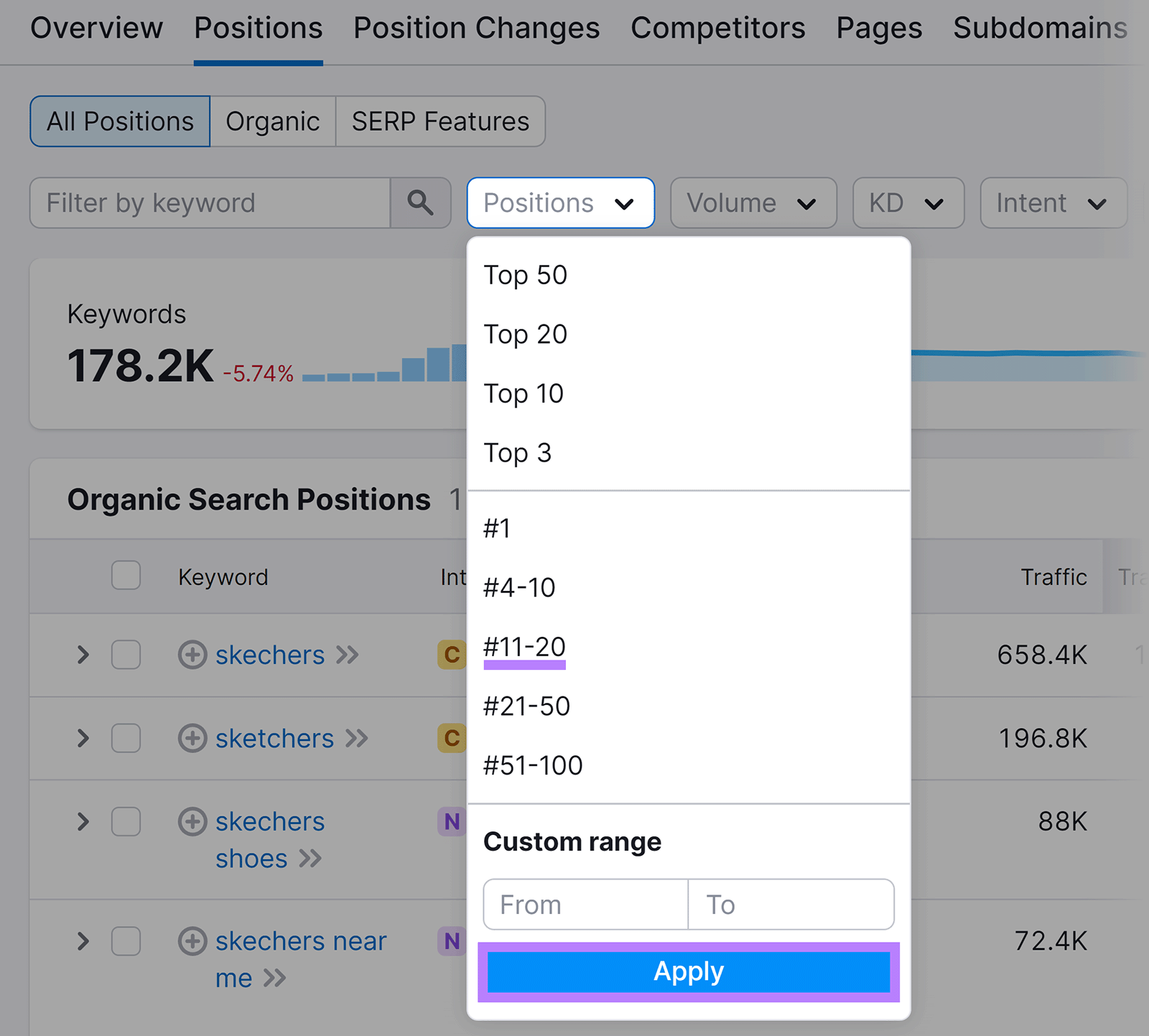
Now, you have a list of existing but underperforming branded keywords to optimize.
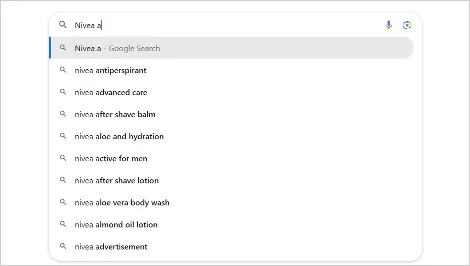
To discover new branded keywords, use Google Autocomplete. Start typing your brand or product name in the search bar to see suggested keywords.
For more suggestions, add letters before or after your query to get a broader list of options.
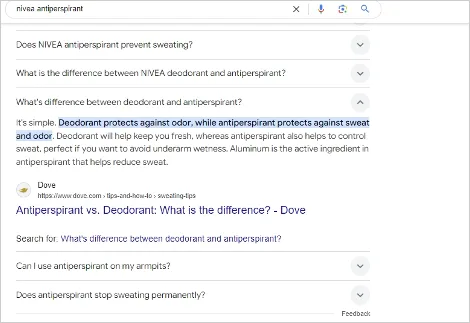
Another useful tool is the People Also Ask (PAA) section on Google. Simply enter your brand name in the search bar and scroll to the PAA section, where you’ll find long-tail keyword suggestions related to your brand. Opening more questions will reveal additional keyword ideas.
You can also use PAA aggregator tools like AlsoAsked to help with this.
Afterward, you should have a comprehensive list of underperforming and new branded keywords to target in your strategy.
2. Optimize Underperforming Pages
To optimize underperforming pages, start with the low-ranking pages you identified earlier to provide quick wins. Use these tips to help you:
- Review Keyword Placement: Include branded keywords naturally in key on-page elements such as title tags, meta descriptions, headers (H1, H2), and within the content.
- Improve Content Quality: Update the page with fresh, relevant, and high-quality content that aligns with user intent for those branded keywords.
- Optimize On-Page SEO: Improve on-page SEO elements like internal links, image alt text, URL structure, meta description, and title.
- Enhance User Experience: Improve the page’s usability by improving mobile response, boosting page load speed, and ensuring a clear, engaging layout.
Learn more: How to climb from page 2 to page 1 of Google
3. Create Optimized FAQs and Help Pages
From the keywords you discovered, identify those indicating that existing customers are seeking guidance on how to use your products or services and create optimized help pages for them.
Coda does this exceptionally well. They have an extensive library of well-optimized FAQ pages.
For instance, if you search “how to sum in Coda” on Google, Coda dominates about 70 percent of the SERPs. This includes featured snippets and People Also Ask (PAA) sections using various content types.
Like Coda, you should:
- Optimize your help content.
- Diversify your content type.
- Use FAQ schema to win FAQ-rich results.
4. Target Competitor’s Branded Keywords
Targeting competitor keywords might seem unethical, but it’s acceptable if you remain neutral and avoid maligning them. However, not all of your competitor’s branded keywords are relevant.
Focus on these types:
- Competitor’s alternatives keywords (e.g., Brand X alternatives): targeting these allows you to position your brand as a potential solution for users who are not satisfied with the competitor.
- Competitor’s review keywords (e.g., Brand X product review): optimizing for them allows you to make comparisons that persuade users to consider your product over your competitor’s
- Comparison keywords (e.g., Brand X vs Brand Y): this could be between you and your competitors, allowing you to directly highlight your strength, or between a competitor and another, allowing you to position as an alternative.
You can identify these competitor-branded keywords using keyword research tools, just as you did for your keywords.
Related: How to track your competitors’ keywords
How to Use Non-Branded Keywords in Your SEO Strategy
Here’s how to use non-branded keywords to improve organic search rankings:
1. Identify Your Non-Branded Keywords
The process of identifying relevant non-branded keywords is similar to branded keyword research. However, when identifying new keyword opportunities, use words that describe your solution.
For instance, you may target words like “keyword research tool” or “SEO rank tracker” instead of a brand name like “Keyword.com.”
2. Create Blog Posts
Non-branded keywords often have informational intent, making them ideal for targeting blog posts like how-to guides, tutorials, or listicles.
Blog posts allow you to create long-form content that delves deep into your audience’s pain points and offers practical solutions. This helps build trust with your readers, position you as an authority, and increase the chances of conversion down the road.
Additionally, the long-form nature of blog posts allows you to weave in various semantic keywords, which helps search engines better understand the context of your content and improve its ranking for relevant searches.
To optimize your blog posts for both search engines and user experience, you should do the following:
- Include your primary keyword in the title (H1), meta description, and URL.
- Naturally incorporate relevant keywords in subheadings (H2, H3) and body text.
- Add internal links to related blog posts or product pages to strengthen your site’s SEO.
- Optimize images with alt text containing relevant non-branded keywords.
- Use short paragraphs, bullet points, and images to improve readability.
- Use short paragraphs, bullet points, and images to improve readability.
- Ensure your post is mobile-friendly and loads quickly.
- Include a clear call-to-action (CTA) to guide the reader toward the next step, such as reading another post, downloading a guide, or contacting your business.
- Earn backlinks from reputable sites to increase the content’s authority.
Ultimately, create a blog that prioritizes your reader’s interests. Google aims to serve helpful and reliable content crafted for people, not search engines.
3. Create Landing Pages
The SERPs for some non-branded, commercial-intent keywords may feature landing pages, suggesting that you, too, need it to compete.
However, when there’s a mix of landing pages and blog posts, you need to prioritize one. According to Grow and Convert, your authority is the key factor in choosing which to prioritize.
If Google recognizes you as an authority in the niche, it’s easier to rank with product pages. But if you’re still building authority, a blog post might be the better option, offering more opportunities to include relevant keywords.
Here’s how you can create high-converting and optimized landing pages:
- Focus on a single objective: ensure the landing page has a clear, singular focus, such as generating leads, making sales, or collecting email addresses. Avoid multiple competing calls to action.
- **Craft a compelling headline:**create a headline that grabs attention and clearly communicates the page’s value proposition or solution.
- **Provide valuable content:**offer valuable and relevant content that addresses the user’s needs or questions with clear, informative, and engaging content.
- Integrate keywords: to improve your chances of ranking, naturally add relevant keywords to the title, headers, meta descriptions, and throughout the content.
- **Add trust elements:**include testimonials, reviews, or trust badges to build credibility and increase visitor’s confidence.
- Use a strong call to action: use prominent, actionable CTAs that guide users toward the desired action. Ensure they’re easy to find and compelling.
4. Local SEO
If you offer location-based products or services, you need local SEO to ensure your business appears in search results for location-specific queries. To do this, identify non-branded keywords with local intent, such as “best bakery in ” or “fresh pastries .”
To dominate local search for your non-branded keywords, follow these steps:
- Google My Business (GMB): claim and optimize your GMB profile by adding your business name, address, phone number (NAP), website link, hours, and photos. This ensures you show up in Google’s local pack, which is crucial for local search.
- Local citations: to boost your credibility in local search, ensure your NAP info is consistent across all online directories (Yelp, Google, Apple Maps).
- Local keywords optimization: include non-branded and location-based terms in key on-page elements such as title tags, meta descriptions, headers, and body content.
- Localized content: create content that appeals to your local audience. This could be blog posts about local events, customer success stories, or guides about your city.
- Reviews and reputation management: encourage happy customers to leave positive reviews on Google and other platforms, which are key ranking factors in local search. You can display these reviews on your website with a social aggregator like juicer.io.
- Localized backlinks: build relationships with local businesses or organizations to earn backlinks. You can partner on local events or get featured in local publications.
Implementing these strategies increases your chances of appearing in local search results, attracting highly relevant traffic, and improving conversion rates.
How to Track Your Branded and Non-Branded Keywords
By now, you should have a collection of well-optimized pages targeting branded and non-branded keywords. However, it’s important to monitor whether your strategy is working or needs adjustment.
Although you can track keywords manually, it can become overwhelming with larger volumes. Instead, use an accurate keyword position tracker like Keyword.com to monitor your rankings easily.
To get started:
-
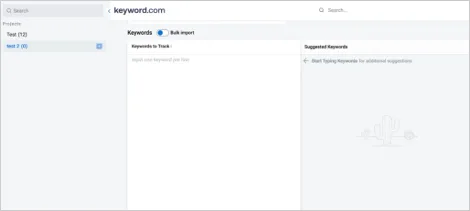
Log in to your Keyword.com account and enter your website’s URL and the keywords you want to track (branded and non-branded)
-
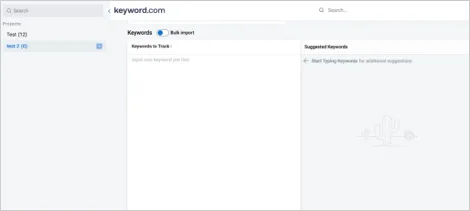
If you’re tracking local keywords, add parameters like country, state, and zip code and uncheck the “ignore local listing” option.
-
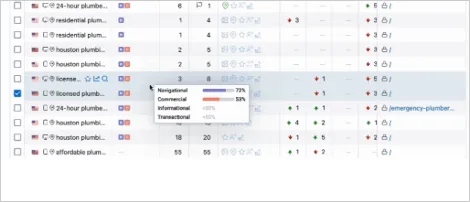
Once set up, your dashboard will display keyword performance data such as SERP position, search intent, and search volume.
-
You can now go further to:
- View ranking historical data in tables and charts for the last 1 day, 7 days, 30 days, or a custom range to identify trends and seasonality. - Set up email or in-app notifications for ranking changes to stay updated on keyword performance shifts. - Connect your Google Search Console to view ranking keyword suggestions. - Use Share of Voice to track keyword performance by topic (branded or non-branded) and measure progress toward your goals.
Branded vs Non-Branded Keywords: A Balancing Act
Optimizing for both branded and non-branded keywords isn’t an either-or decision—it’s a balancing act. Branded keywords protect your search presence and ensure customers find you, while non-branded keywords expand your reach and attract new audiences.
To make sure your strategy is working, you need to track your rankings consistently. Keyword.com helps you monitor both branded and non-branded keyword performance, so you can stay on top of changes, spot opportunities, and ensure your site is showing up where it matters most.
Want to test things for yourself? Sign up for a free Keyword.com trial.